
In Part 1 of this video, I’ll show you how to NEVER FORGET the format of a crontab file and how to read one:
System-Wide Crontab File

Man Page crontab(5)

How To Read ANY COLUMN
In Part 1 of this video, I’ll show you how to NEVER FORGET the format of a crontab file and how to read one:
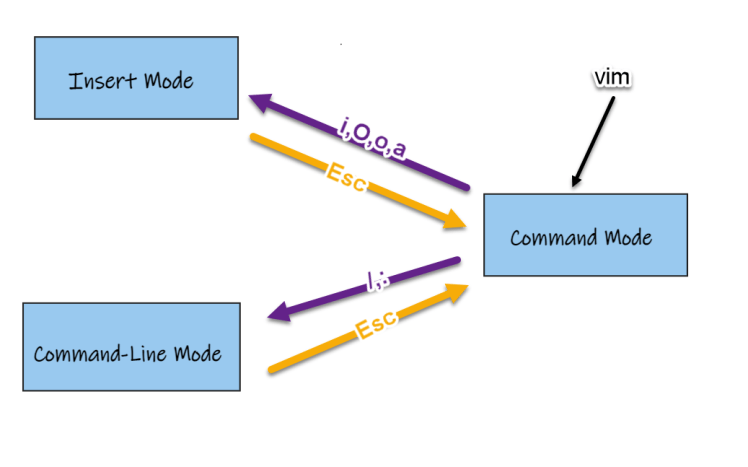
This simple and effective introduction to VIM will help you see the big picture and avoid a lot of the common snags people new to VIM get caught by.
Teachable.com ➡ http://tinyurl.com/s6wtbckx
Questioning your own understanding is being ‘critical’, not ‘incompetent’.
Use double-dot notation when specifying commit ranges.
git log master..experiment
We are asking the question:
“What range of commits ‘closes the gap’ FROM master TO experiment?” 👇
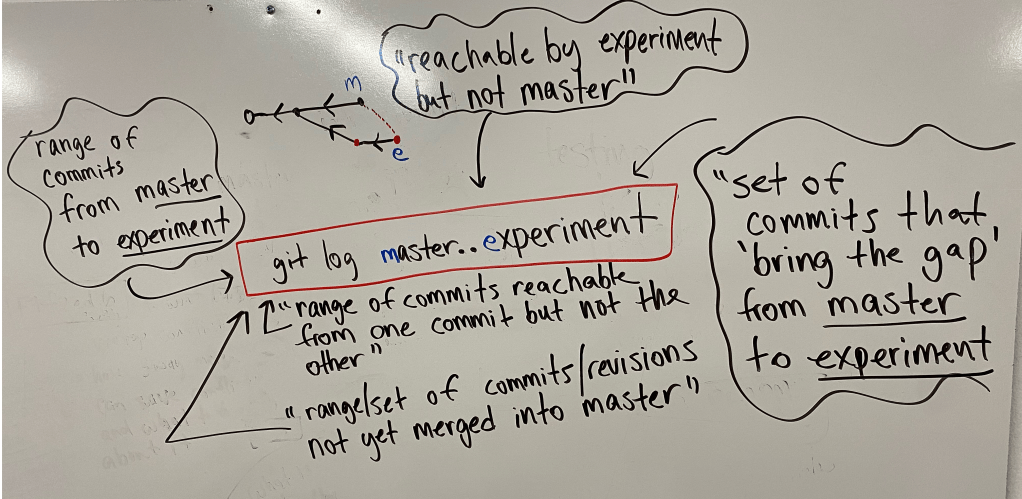
This will help you with planning git merges.
The output will show you what work (range of commits) you have not merged in yet.
Learning a technical skill in a vacuum (because it’s “cool”) is very dull, boring and won’t sustain you..
But learning a technical skill in pursue of a goal and solving a problem: now things are getting juicy!!!😊
If you’re looking for a Red Hat-based operating system, here are the most popular:
Full Article 👉www.tecmint.com/redhat-based-linux-distributions/
Keep in mind, you can get free self-support licenses for Red Hat itself if you want.
Support is still community based but you will be entitled to security and operating system patches.
I can’t let go of my train-of-thought sometimes, but to let go of my art.
Yikes!
 was right!
  )
)Anytime you hear the term “Letting go” or “detachment” within spiritual practices and circles…this is probably the most practical, down to earth example of said terms I can think of. 
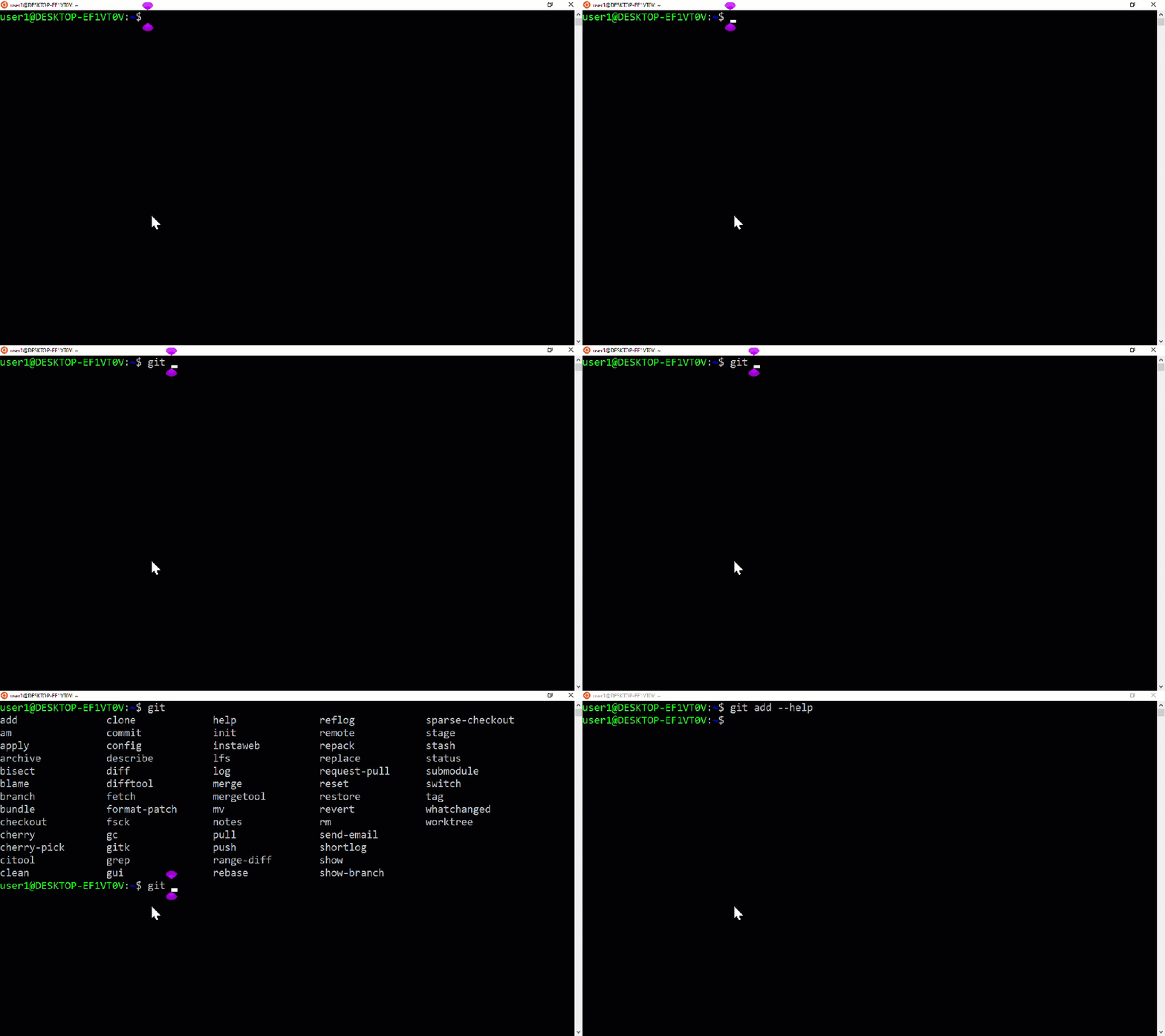
If you’re using a git command but need a quick refresher, remember this syntax:
git <verb> -h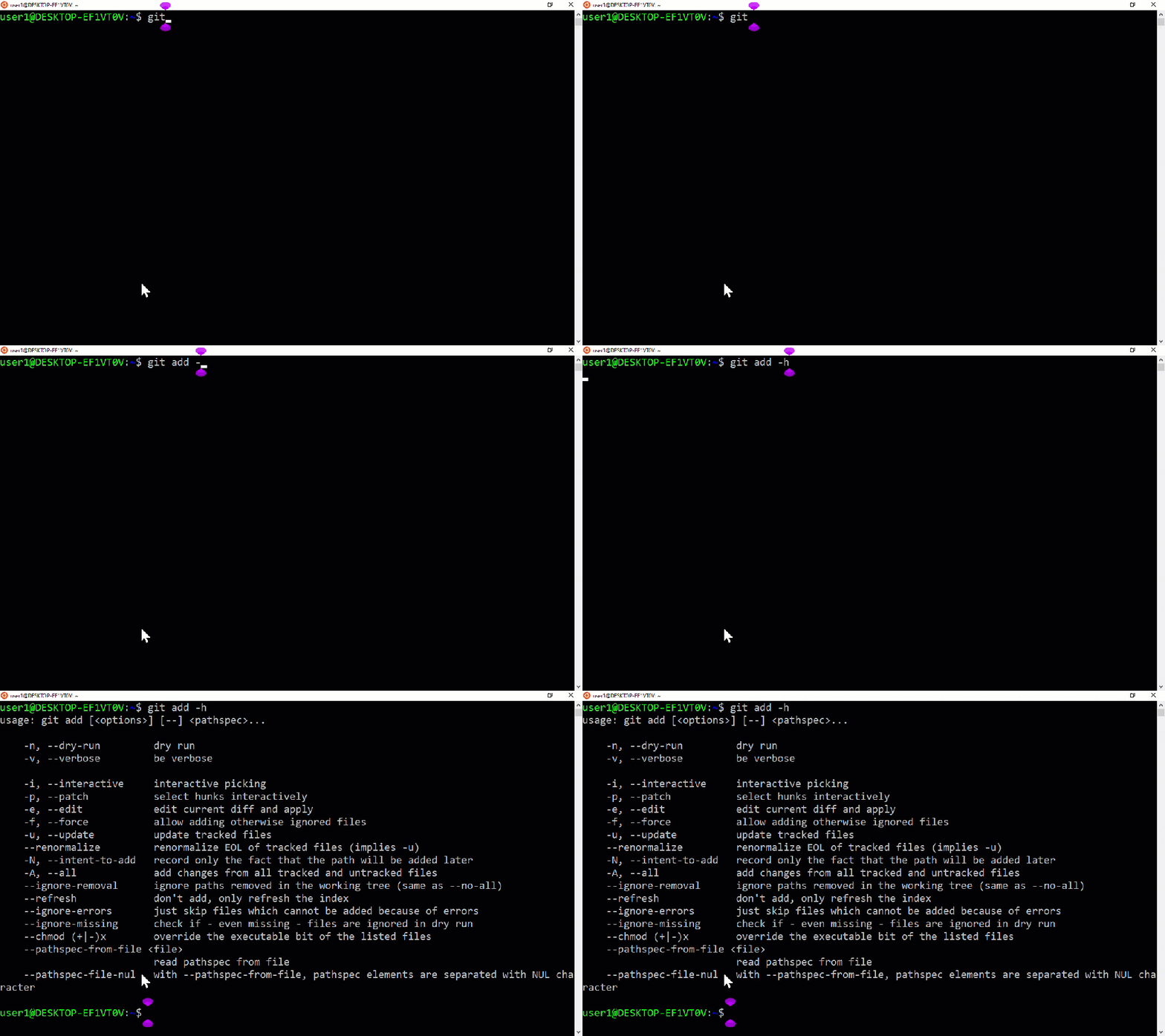
If you need the full man page for a git command, it’s:
git <verb> --help
If you want to see ALL AVAILBLE <verb> options; type git and then TAB key twice (like you would with a linux command):


 Learn Linux