
Teachable.com ➡ http://tinyurl.com/s6wtbckx
The Power of Questions
Questioning your own understanding is being ‘critical’, not ‘incompetent’.
Specifying A Range of Commits for Planning Git Merges

Use double-dot notation when specifying commit ranges.
git log master..experiment
We are asking the question:
“What range of commits ‘closes the gap’ FROM master TO experiment?” 👇
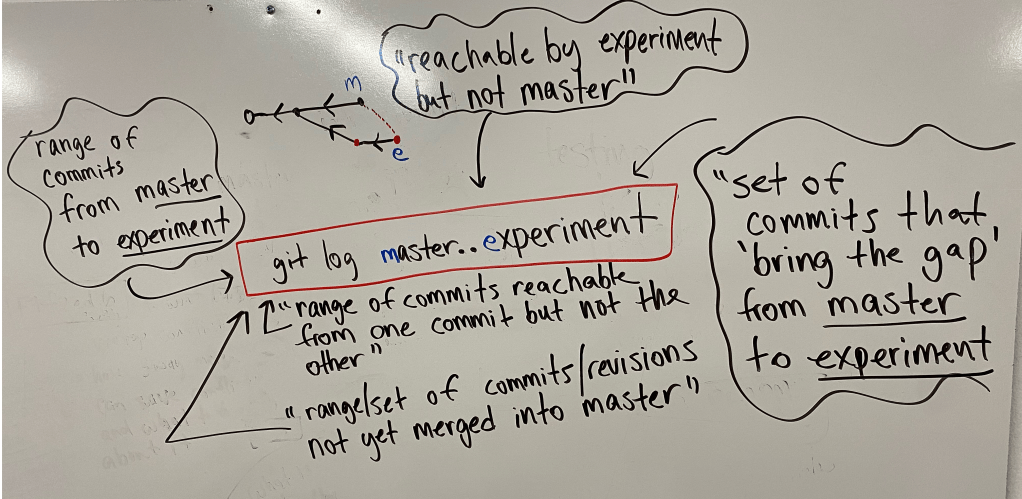
This will help you with planning git merges.
The output will show you what work (range of commits) you have not merged in yet.
How To Make Learning Exponentially More Enjoyable
Learning a technical skill in a vacuum (because it’s “cool”) is very dull, boring and won’t sustain you..
But learning a technical skill in pursue of a goal and solving a problem: now things are getting juicy!!!😊
The Best RedHat-based Linux Distributions
If you’re looking for a Red Hat-based operating system, here are the most popular:
Full Article 👉www.tecmint.com/redhat-based-linux-distributions/
Keep in mind, you can get free self-support licenses for Red Hat itself if you want.
Support is still community based but you will be entitled to security and operating system patches.
This Ritual Blew Me Away 😱
I can’t let go of my train-of-thought sometimes, but to let go of my art.
Yikes!
- 6 Buddhist Monks
- 5 days and
- 40 hours of painstaking, tedious work
- Symbolizing Impermanence, the nature of life (I guess Olaf
 was right!
  )
)
Anytime you hear the term “Letting go” or “detachment” within spiritual practices and circles…this is probably the most practical, down to earth example of said terms I can think of. 
Quickly Get Git Help
If you’re using a git command but need a quick refresher, remember this syntax:
git <verb> -h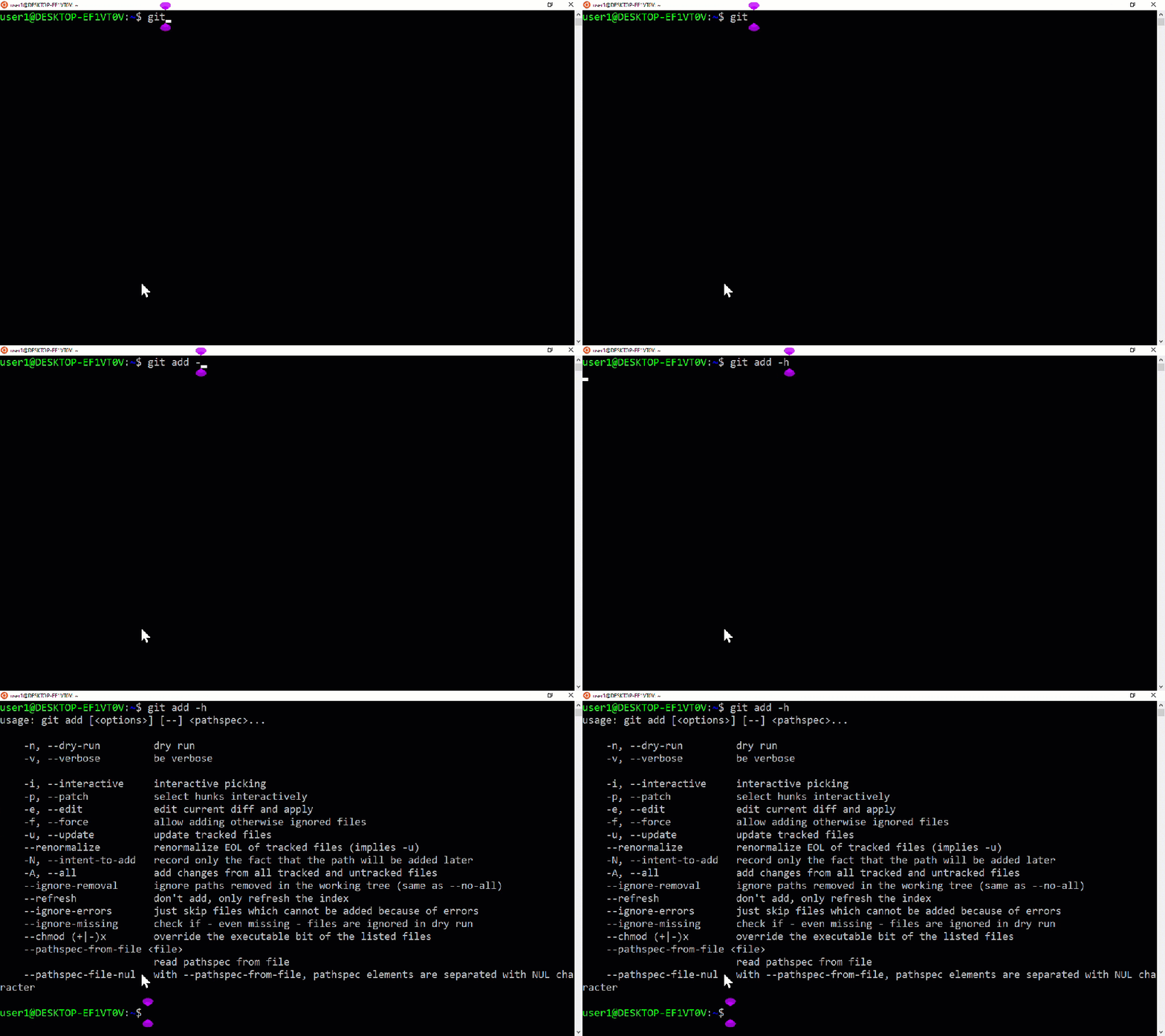
If you need the full man page for a git command, it’s:
git <verb> --help
If you want to see ALL AVAILBLE <verb> options; type git and then TAB key twice (like you would with a linux command):
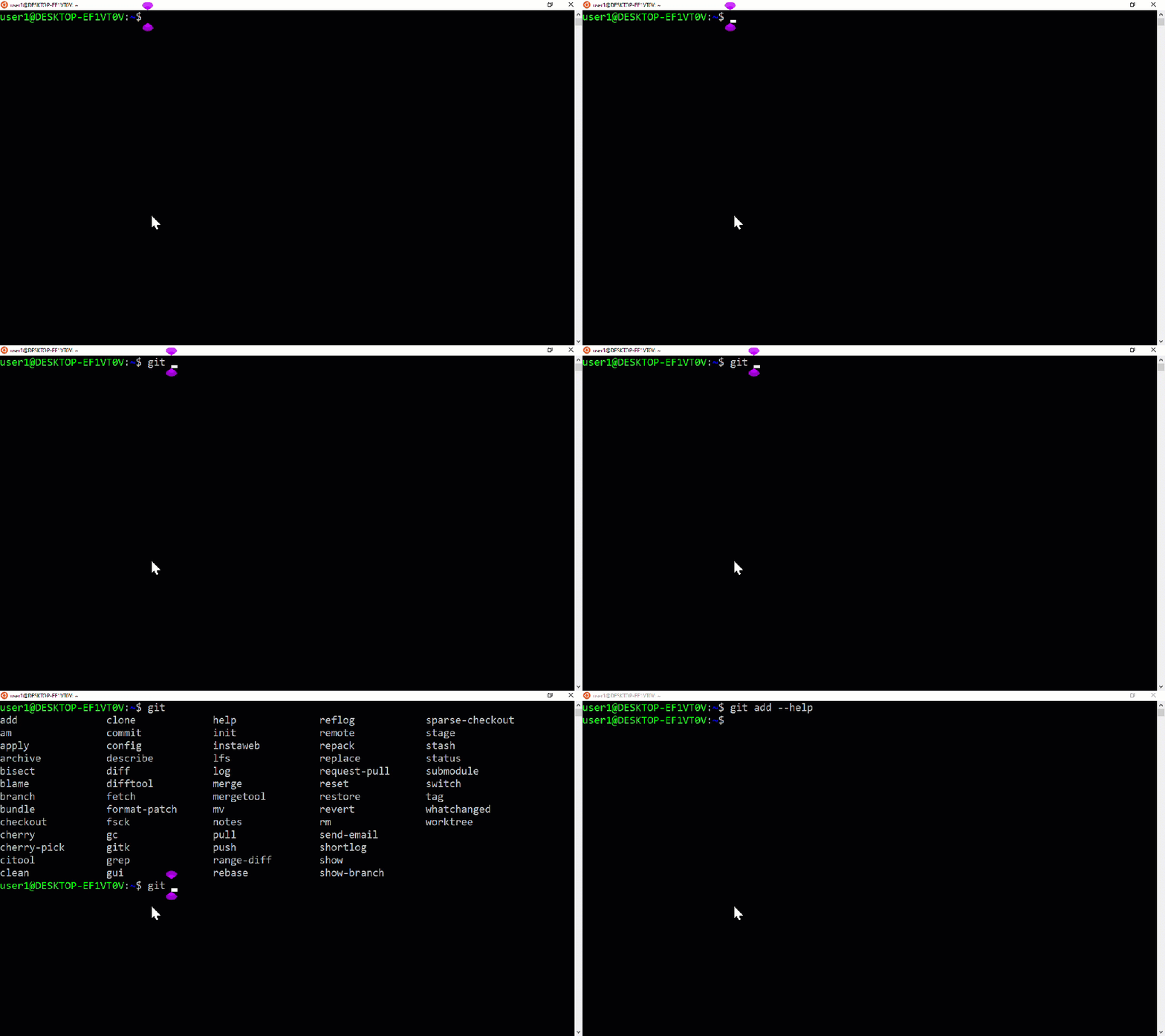
Full Demonstration
Read and Troubleshoot Linux Config Files 10x Faster! 2.0
This post is an iteration of my original post: https://linux-admin.blog/2018/11/01/read-and-troubleshoot-linux-config-files-10x-faster/
In it, I explained how reading and troubleshooting config files in Linux are sometimes a pain in the rear. In particular, when the config files are long and mostly comments.
When we are troubleshooting, we want to know just the effective settings that are going to be loaded at run time and nothing else. And read them quickly.
The script I provided in that original post works, but I’ve iterated it into a more elegant solution.
My solution – then and now – was inspired by a very useful book I discovered years ago: Perl One-Liners: 130 Programs That Get Things Done
So here is my new and improved version; I will also demo the heartburn it removes on two files: smb.conf and sshd_config:
perl -ne 'print unless /^(#|;|\n)/' <filename>Notice how I defined a comment to be a “#” or a “;”.
smb.conf
Now, if we do a cat /etc/samba/smb.conf we can see how the output is extremely overwhelming with a lot of comments and blank lines:

We could egrep -v "^(#|;)" /etc/samba/smb.conf to see the effective settings, but that will still leave ALOT of empty lines:
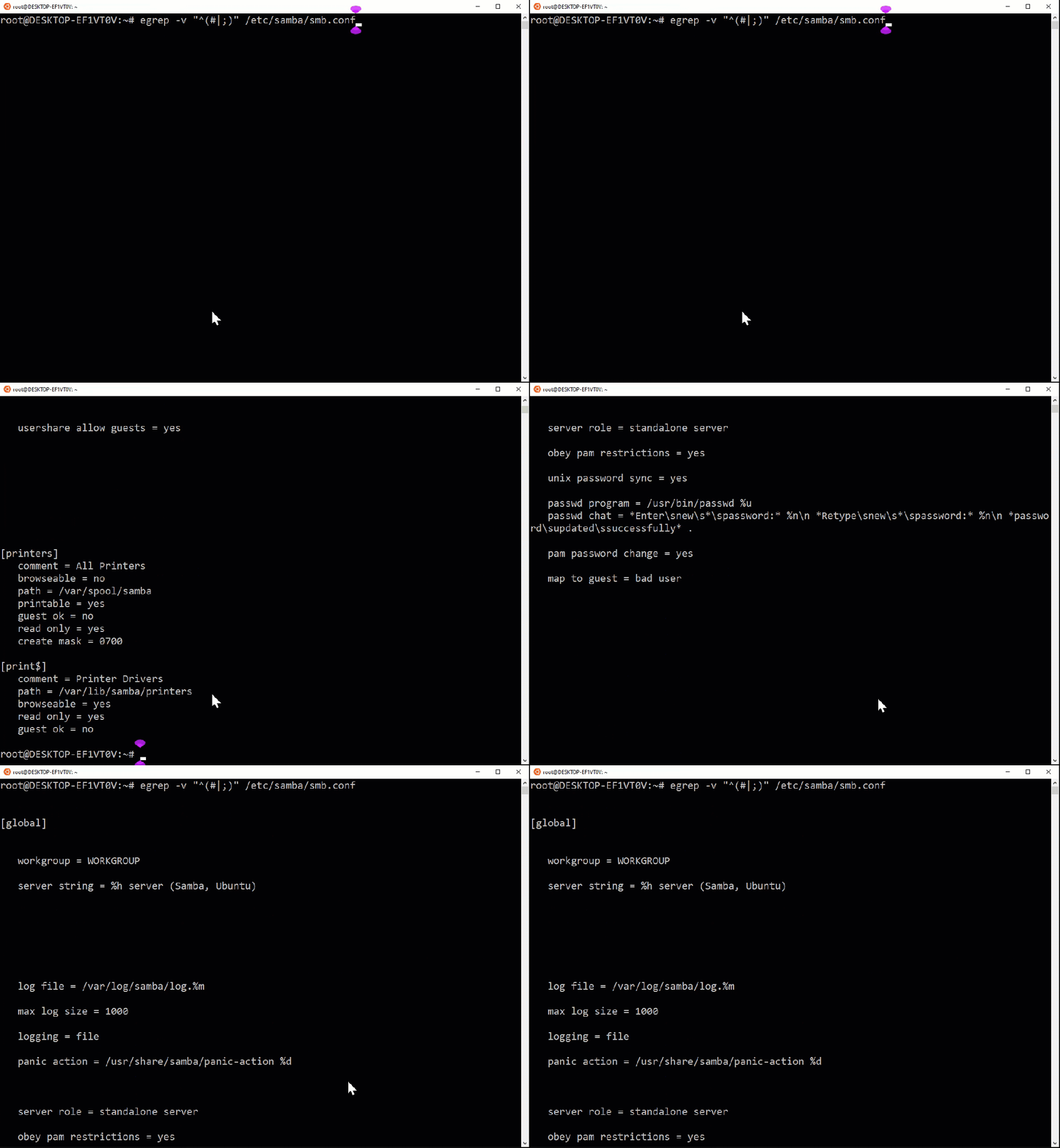
If we use the Perl Oneliner, we can remove ALL comments, and remove empty lines for EVEN BETTER readability
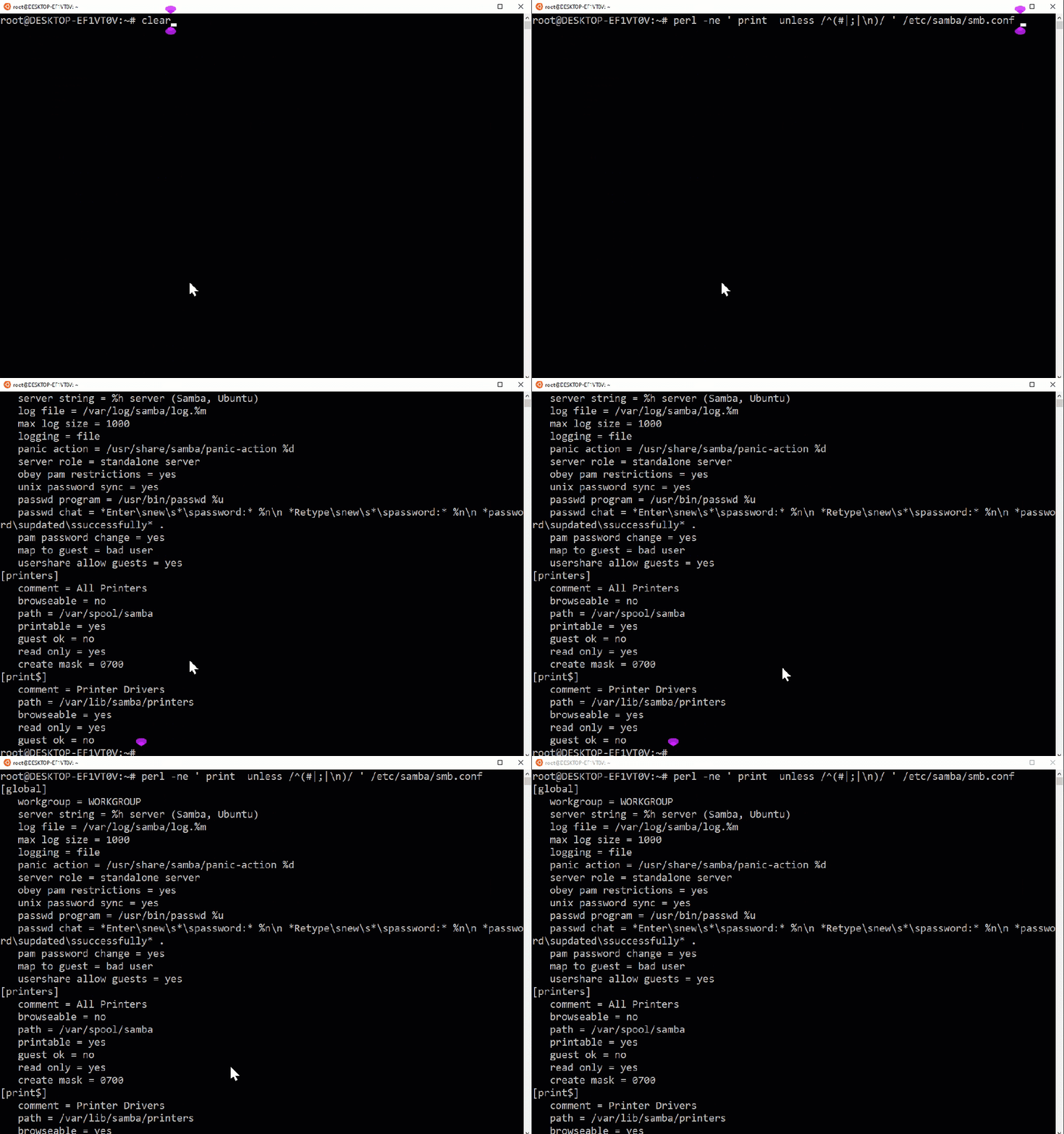
Now we can quickly see our effective settings in /etc/samba/smb.conf.
sshd_config
We can run the same script on /etc/ssh/sshd_config for easier reading and troubleshooting:
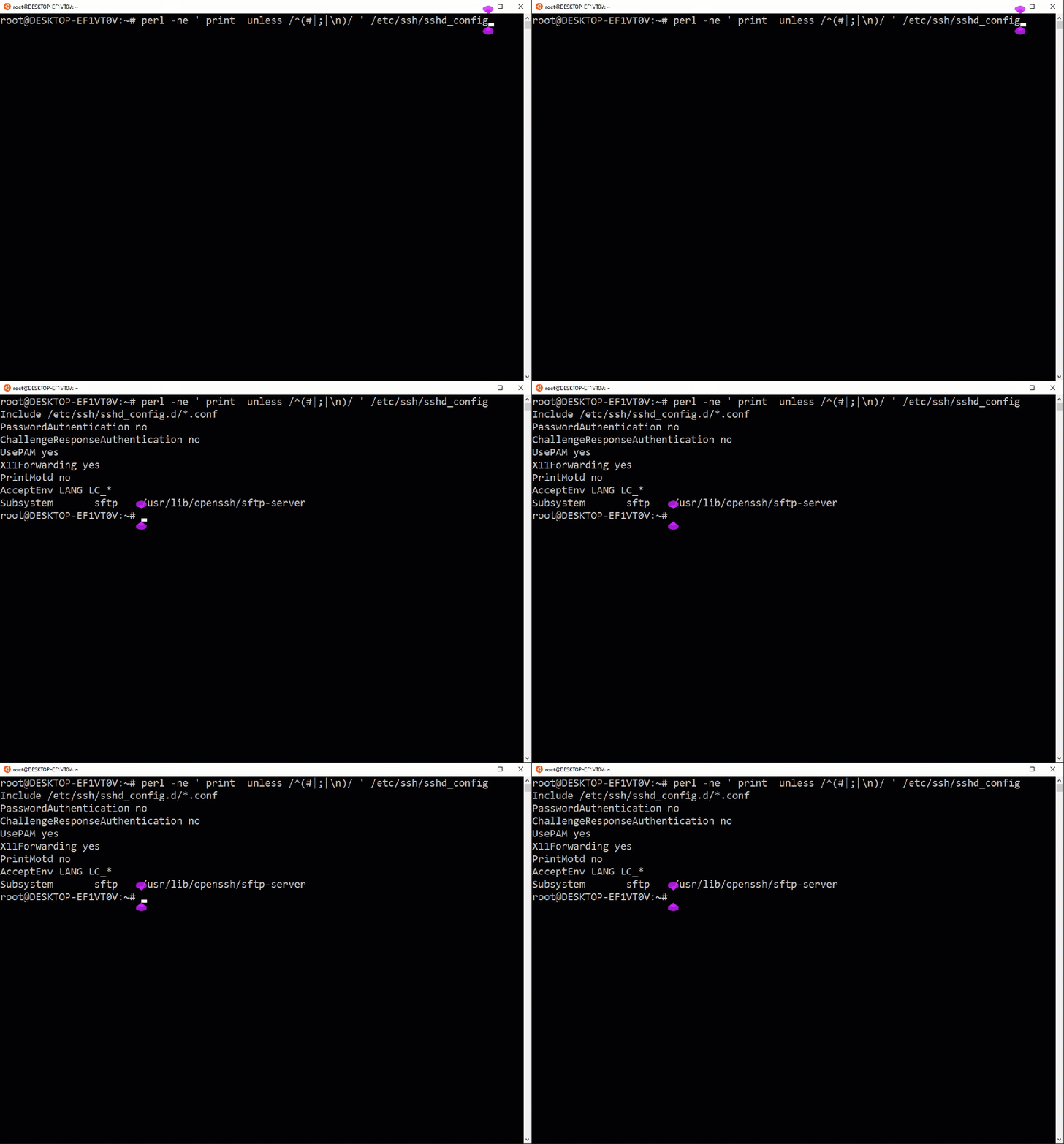
Summary
Let take a step back and point out the main benefits with this script.
It will remove all comments (lines beginning with a “#” or “;”) and the empty lines. This will make reading the effective settings quicker and easier.
And make troubleshooting alot easier.
If this code helps you solve any problems, comment and let me know below
An Antidote to Perfectionism
Realizing ALL Action Is Imperfect Action
FREE 5+ Hour Linux Server Course
Discovered this free Linux server course recently.
Instructor is Shawn Powers from CBTNuggets and he uses a Centos 7 virtual machine to demonstrate all of the concepts he covers.
Let me know what you think.
➡ https://www.freecodecamp.org/news/linux-server-course-system-configuration-and-operation/

